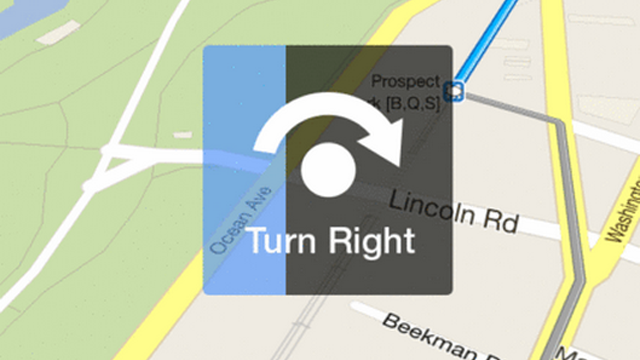
The new Google Maps app was finally released, and I’m loving it so far. But it’s missing a feature I’ve been hoping to see map apps implement for some time. I have this problem where as soon as I pull up directions on my phone, whether right after entering my destination or getting out of the subway station, I get into this confused spinning dance.
What I’m trying to do is find out which direction I should be heading in. I twist the phone, I turn my body, all in the hopes that my little blue-dotted self will finally turn inline with the path I’ve been told to take.
There’s got to be a better way.
Navigating through a big city requires a bit more than the turn-at-this-street style of directions we’ve grown so accustomed to. When you’re on foot, just stepping off the bus at a crowded intersection, being told to turn left on Broadway isn’t all that easy. It’s hard to orient yourself, at least for me, and that’s when the dance begins (let’s not get into the figure-8 rave that Apple sometimes asks me to do to recalibrate the compass).
So here’s my solution:
When you’re ever confused about which way to head in, you simply tap that spinning person button, and you’ll quickly be told what to do, regardless of whether you even know where you are. Similar to the panorama feature on the Camera app, turning will trigger a progressive filling of the box. Here, however, the filling rate is not only determined by how fast you turn, but also by how far you need to turn.Once you’re set on the correct path, you’re told to take off and the box fades out until the next time you’re lost.
Related links:
- Hacking Behavior: The behavioural Method
- Being Social Is About Being Private
- Disrupting Medicine: Check
Kyro Beshay is a student of medicine and design. For dancing tips, you should follow him on Twitter here.


A brilliant idea!
I like your idea. But I think the issue is when first detecting your location, it's hard to know exactly where you are until more data is received from the GPS. The compass helps, but as you say is often slow to start too. What about a "tell me what your looking at" type function that shows 4 pics from street view of every direction. That would allow it to start you off left or right etc whilst the signal gets stronger!
Great idea as I had this exact problem when I was in NY recently. It took a moment or 2 to get a signal and then a minute or more to orient myself.
Pretty dang sure that's what Compass mode is for???
Touch the Kite/Arrow icon bottom left in Google Maps twice and as you turn the gyro follows
Generally the workaround I use is to just pick a direction and then walk. Usually the phone figures out if I'm going the wrong way within 20m and it's not all that hard to backtrack if you are.
Yup, this. The 20 seconds you always lose verifying that you start off in the right direction is gained back most of the time if you move in the right direction, and lost to movement (rather that statically staring at your screen) if you don't.
Ar-maps app. Solved problem.
City Lens :P
Never had this issue before as it IS a feature. Learn to use your tech before you blog about the "fails" of your tech on a website devoted to tech.
...or, look up from the screen and orient yourself in the *gasp* real world. Correlate your on-map location to your real-world surroundings and move accordingly.
And if you get it wrong, any not-half-arsed navigation software will re-route you after about 20 seconds. Of course there's always City Lens (at least, for Northern Hemisphere travellers) to help out as well.
I think the point is that sometimes it's a bit difficult to do that in a crowded street in an unfamiliar location. I'm pretty sure that's most people's first option.