
I just bought a new computer and, seeing as hardware failure rates are pretty high these days, I want to make sure it isn’t going to suddenly die on me in the middle of an important project. Is there anything I can do to ensure it isn’t a dud? Sincerely, Paranoid Computer Buyer
Dear PCB,
If you want to put your new machine through the paces, there are a number of things you can do to make sure it’s in good working order. In fact, you can use these exact same strategies to test the reliability of an old machine as well. They’re all pretty easy to do, albeit a little time consuming, but by the end of the tests you’ll know if your machine is on the verge of failure or not. These tests can’t predict the future, but they’re a good way of weeding out existing problems that just haven’t reared their ugly heads quite yet. If a failure is imminent, here’s how you can find out.
Stress Test Your CPU
When you’re overclocking your processor, you need to put it under stress to ensure it’s not going to cause errors under high load. You’re not oveclocking, but want to know the same thing so you can use the same process. We like a program called Prime95 to help with this task. All it does is calculate prime numbers for as long as you’d like. This can max out your processor cycles and that’s exactly what you’re looking to do. (Note: some prefer LinX, but it isn’t available for all platforms like Prime95.) Just run Prime95 at full blast for at least a few hours, if not more, and you’ll have a good idea if your processor can handle all the work you’re going to throw at it.
You may also want to monitor temperatures to ensure nothing overheats. It shouldn’t, seeing as your computer should have been designed to run at full blast food a good while, but it doesn’t hurt to keep an eye on it. RealTemp (Windows), LM_sensors (Linux), and Temperature Monitor (Mac OS X) can all get the job done.
Check Your RAM For Errors
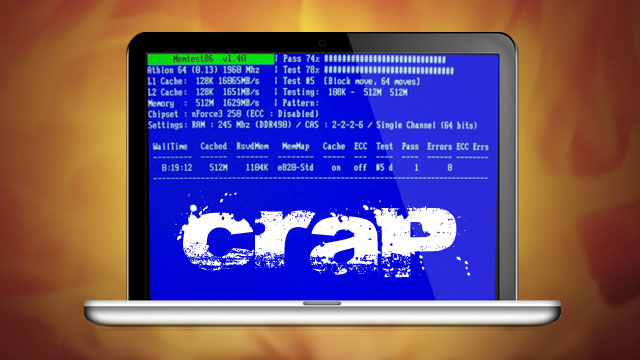
Your computer can sometimes get by with errors in RAM but you’ll notice strange quirks here and there. You don’t want to wind up with a machine that’s often glitchy, so you want to make sure your RAM is in good shape. To do this, you’ll just need MemTest86. You can download an ISO file, boot from it on virtually any machine (even a Mac), and run it overnight. While the test can complete fairly quickly under some circumstances (e.g. when you have very little RAM in your machine and run a light test), you can expect at least a few hours. Run an exhaustive test and let it sit overnight. In the morning, check your results and see if your RAM had any errors. If it didn’t, you’re free and clear.
Drain Your Battery (Realistically)
If you’re dealing with a laptop, you want to make sure the battery is going to offer the life you were promised by the manufacturer (or at least a more realistic number that you find acceptable). The best way to do this is to just use the machine as you normally would for as long as you can without the power cable connected. If you perform a variety of normal tasks you’ll get an approximate idea of your battery life. This much is obvious, and you may prefer to set your machine aside and forget it — until the battery dies, that is. Here are a couple of tests you can perform that don’t require any effort on your part:
- The Nyan Cat Method – As demonstrated in the above video, play the 10 hour Nyan Cat video on YouTube and see how far you get before the laptop dies. Be sure to reduce screen brightness to a realistic level and disable anything else that could use the processor while the video is playing (unless you want added stress on the machine).
- The Wi-Fi Test – Use a free file upload service like Gett to upload anything that’ll take longer to get there than your battery can handle. This will give you a good idea of how the computer operates when Wi-Fi is in use for an extended period of time. Just be sure to prevent your laptop’s display from turning off by itself or you won’t get realistic results
- The 10% Test – Charge your battery fully, then unplug from power for 10 minutes. If your battery loses charge at a rate of 1% per minute or more (and you’re not doing anything crazy like, say, running Prime95), you have a problem.
Basically, you can try draining the battery in lots of ways that don’t involve your interaction so long as you can leave something running that will keep the CPU processing information at a reasonable rate. If you play lots of games, leave a game on. If you want to test the battery’s performance when watching a movie, loop an AVI you’d realistically watch and see how far you get. The best tests will be the ones where you work realistically, but if you don’t want to put in the effort and sit at your computer for the entire life of your battery these sorts of tests will provide you with a pretty good picture.
Once you perform these tests you’ll have a pretty solid idea of whether or not your computer is on the verge of failure. If it is, take it back and get it replaced. If not, you can move forward more confidently.
Got any more tips for stress-testing your machines to make sure they don’t suck? Share ’em in the comments!
Cheers
Lifehacker
Got your own question you want to put to Lifehacker? Send an email to tips@lifehacker.com.au, and include ‘Ask Lifehacker’ in the subject line.
Republished from Lifehacker