
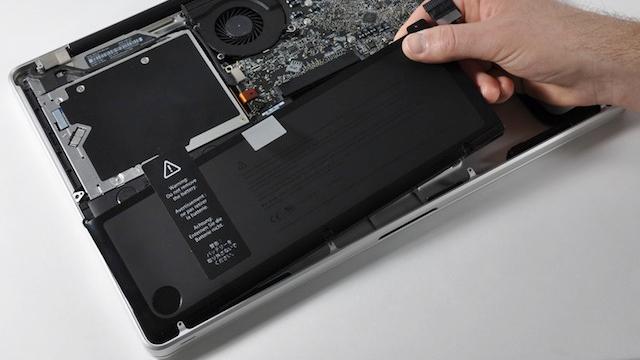
• Do not let it run out completely all the time. Full discharge puts a lot of strain on the battery
• Do not keep a Li-ion battery fully charged all the time, either. If you don’t use your battery it might suffer from capacity loss
• Keep your battery in cooler temperatures. Hot hot heat is not good for it
• If you’re gonna store your battery, leave 40%-50% charge in and store it in a cool place (i.e. fridge).
I know, it’s hard to break old habits (I leave my laptop plugged in far too often), but taking care of your battery means better, longer juice. That’s always a good thing. [Ars Technica]
Image Credit: Wired


Jon
Wednesday, February 16, 2011 at 12:48 PMI use a MacBook Pro with an eternal monitor and keyboard I’d happily let the battery drain before recharging, however Apple does not let their laptops export video to an external monitor unless the power adapter is plugged in.
As such my MacBook Pro sits on the charger all day every day :(
RaVe-N
Wednesday, February 16, 2011 at 1:14 PMWhat a familiar phrase: “Apple does not let…” hehe
Lillee
Wednesday, February 16, 2011 at 2:35 PMNo worries just buy another battery… oh wait
jude
Wednesday, February 16, 2011 at 4:43 PMWhat macbook pro do you have? I have used a mbp & mb to train others with and both of them can do external output while on battery. Perhaps there is some other issue with your mac?
Greg
Wednesday, February 16, 2011 at 5:08 PMThat is the funniest thing I’ve heard all year. Go Apple!
Spangus
Thursday, February 17, 2011 at 12:24 AMMy macbook pro is almost 4 years old and it does external video without needing external power. Everything since then should do it too.
Also you can buy new batteries for the unibody models, it costs the same $199 that all the clip-in batteries cost for older models you just need to get it changed at a service centre.
Andrew
Thursday, February 17, 2011 at 1:46 AMI’ve got the 2009 unibody MBP and I am able to run off battery with an external monitor.
Anthony Tam
Thursday, February 17, 2011 at 1:12 PMJon is right. If you take the charger out of the Mac it stops powering the external display and the machine goes to sleep. However this only occurs when the Mac is set to clamshell mode (i.e. the lid is closed and you are using an external mouse and keyboard along with the external display)
RaVe-N
Wednesday, February 16, 2011 at 1:13 PMNow when they say “Do not keep a Li-ion battery fully charged all the time, either.” Do you think that means not leaving on the charger overnight as well. 8 hours on the charger as I sleep when it only takes about 1 to fully charge my battery leaves 7 hours left with it on full. (okay so I’m exaggerating how much sleep I get.) I have heard phone sales people recommend to never leave it on the charger overnight, however I know that my phone will discharge to 98% and then charge up that 2% over and over and I wonder how that affects it too…
Tim
Wednesday, February 16, 2011 at 11:57 PMI ensure that I do not charge/discharge lion batteries at midnight or at 11:11. My last laptop I didn’t even use my battery due to the concern I had that it could catch fire, so I could only ever used it tethered to the mains. This went OK for a while, but I think the real problem I had was that I was running Vista. I tried to boot it with an Apple but that didn’t make much difference. I hear they use hormones in apples these days so that might have been why it was no help. Has anybody had any luck getting a Commodore 64 connected to the Internet? My ISP said they didn’t support 64-bit, which is a shame. My Commodore was reliable and I would like to use it to check my email and monitor trends in lion and panther battery technologies.