Google Talk

Online

How To Mass Import Your AIM Buddies Into Google Talk

11:00PM May 26, 2011 | Whitson Gordon

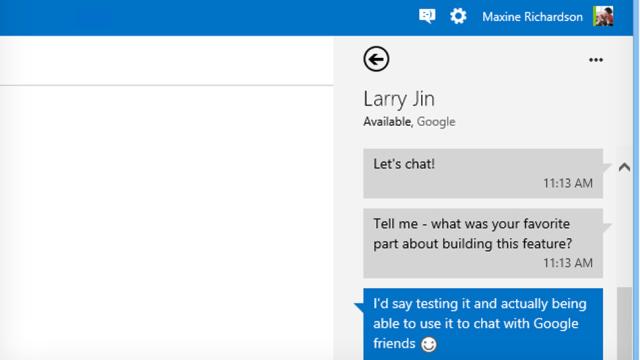
AIM has integrated their instant messaging service with Google Talk, allowing you to talk to your friends on both protocols with only one login. Here’s how to import all your AIM buddies into Google Talk in one fell swoop. More »


Online

AIM And Google Talk Crossover Is Now Active (OMG IM BFFs!)

12:55AM May 17, 2011 | Sam Biddle

The Vulcan mind meld between AIM and your Gmail buddies is in effect – though it doesn’t appear to have been officially announced. Sending a message to a friend on the other side is just as easy as we’d hoped. More »


Online

Soon You’ll Be Able To Make Phone Calls From Your Gmail Inbox

11:19AM August 25, 2010 | Rosa Golijan

It seems that Google might have a lovely new offering for us soon: A web-based VoIP client. According to CNET, we’ll be able to access this client through our Gmail inboxes to make and take calls on the spot. More »


Online

Gmail Chat Getting File Transfers Soon

7:36AM March 30, 2010 | Brian Barrett

Over at the Google Blog today they’ve announced new file transfer capabilities in iGoogle and orkut. That’s fun! But what I’m most excited about is their promise of file transfer in Gmail. More »


Software

Gmail Finally Comes Out Of Beta

1:22AM July 8, 2009 | Matt Buchanan

Later today, Google’s pulling Gmail, Google Talk, Calendar and Docs out of beta. Not because of major new updates or anything, but to make business customers happy. [TechCrunch]


Software

How To Send SMS Text Messages With Gmail’s Chat

3:45AM December 12, 2008 | John Mahoney

Google today rolled out a Labs feature that allows you to quickly send SMS messages via Gchat–perfect for continuing to antagonise your contacts with your witty links well after they leave their computer.

More »


Online

Google Adding Text Messaging To Gchat in Gmail

4:45PM October 31, 2008 | Gizmodo US Edition

Those of you who use Gchat through Gmail can now send text messages to mobile phones. The function is experimental, so you have to go to the Labs tab inside of Gmail’s settings (or click on that little green flask icon) to turn it on. Your messages will appear as a 406 number–once you’ve sent a text through gmail, that’ll be your specific number. AIM’s had this feature for a while, so it’s not surprising that Google would implement it as well. Text your friends! See how it goes! [Webmonkey]

More »