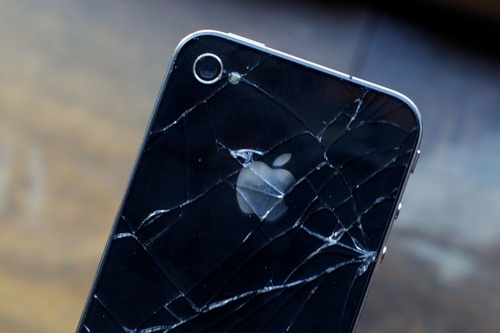
Got the iOS 5 update blues? You’re not alone. Looks like Apple’s servers are taking an absolute whomping right now with folks trying to get iOS 5 onto tablets and smartphones.
Getting Error 3200? Here’s how to fix it.
If it’s any consolation, I’m in the group trying — but failing — to get iOS 5; since 6am this morning I’ve looped through downloading, backing up an iPad 2 and having it fail with a variety of errors. It’s enough to make me tear my hair out — if I had any. What’s everyone else’s iOS update experience been like?
More:
- iOS 5: The Top 10 New Features
- iCloud Is A Bigger Deal Than You Think: It’s The Future Of Computing
- The Complete Guide To Updating To iOS 5


Tom
Thursday, October 13, 2011 at 9:50 AMSo why don’t people obtain the iOS 5 GM from other sources? In the end it’s the same update.
z3d
Thursday, October 13, 2011 at 9:57 AMit downloads fine, then extracts on your computer but fails verifying the download as it can’t reach apple servers.
you’re better off doing a download only. once downloaded, hold shift when you press update in itunes. on XP, the ios5 image file will be in
C:\Documents and Settings\[user name]\Application Data\Apple Computer\iTunes\iPhone Software Updates
(different location in win7 and vista)
search your profile for iPhone3,1_5.0_9A334_Restore.ipsw
this will save you downloading it multiple times and having to reorganise your phone.
z3d
Thursday, October 13, 2011 at 10:08 AMactually it finally got past that stage but i needed to do a full restore :S maybe because it’s a full version update requiring a restore, rather than just a minor patch..
TB
Thursday, October 13, 2011 at 11:28 AMThe problem isn’t getting the image, the problem is with the server that authorizes the restore. Surprisingly the update downloaded in less than 10 minutes for me.
steven
Thursday, October 13, 2011 at 12:35 PMposting here as a FYI, I got the error 3200 this moring then my phone went back to normal, however people were calling me and it went to messagebank and i got no texts or emails. I just upgraded to ios 5 and it doesnt say i missed any calls but the emails i got saying my phone was turned off tells me otherwise. so test your phone if you got that error
Aaron
Thursday, October 13, 2011 at 9:51 AMI went through the update process three times with backup restore failure error messages before finally getting through … Worth the wait, made me late for work though …
Kate
Thursday, October 13, 2011 at 10:18 AMMe too :(
Mkk
Thursday, October 13, 2011 at 9:52 AMMine bricked on first try but restored and worked on the second go. New iOS seems good.
OS X update as well and everything’s linked to the Cloud.
Damo
Thursday, October 13, 2011 at 9:53 AMCould not restore due to unknown error… It seemed to dload suspiciously quickly though. Might try tomorrow.
Dan Miller
Thursday, October 13, 2011 at 9:54 AMThe GM is not all ways the final build. Anyway I’ve tried 3 times this morning to update. First time I was able to download the file through iTunes fine, but got errors like everyone else. Second time my phone decided to get stuck in recovery mode. I was able to exit using RecBoot. And now the third time, and it’s decided to update fine.
jim
Thursday, October 13, 2011 at 9:57 AMjust tried to update my iPad 2 with iOS 5. Two fails. Disconnected from the computer and opened to see if it was bricked.
Ironically it opened to the cover of the most recent Economist magazine I had been reading with the cover showing Steve Jobs with the title “The Magician: Steve Jobs and the world he created”
Could the magic be gone?
Sean C
Thursday, October 13, 2011 at 9:58 AMMines restoring now from GM to final release. No problems so far, its about half way through the install on the phone itself.
Matt
Thursday, October 13, 2011 at 10:09 AMThe GM and Public release are the same (9A334)
Congratulations, you just wasted your time.
Sean C
Thursday, October 13, 2011 at 10:30 AMnote that I said restore…
rather than being mr sarcastic, try reading a little more into the post.
I was having an issue with my phone.
G
Thursday, October 13, 2011 at 10:03 AMIf there servers can’t struggle sending out an update, how will the iCloud handle serving everyones files?
Mat
Thursday, October 13, 2011 at 10:37 AM…because the cloud servers won’t be stuffed with hundreds of thousands of people trying to download the same one massive file at the exact same time? Your argument is invalid.
Tom
Thursday, October 13, 2011 at 10:05 AMI’m not having an problems so far, Just finished downloading the OS in iTunes which took about 30 mins, now doing the backup which isn’t taking long!
Oats and Sugar
Thursday, October 13, 2011 at 10:10 AMmy update was a little slow, but it worked absolutely fine in the end!
Thorbjørn
Thursday, October 13, 2011 at 10:11 AMMine fails as soon as it tries “verifying restore with Apple”. So now I’m stuck in recovery mode.
Grim
Thursday, October 13, 2011 at 10:11 AMUpdated, but the restore failed until I manually reset the phone. Now I’m just waiting for everything to copy back over before I run for my bus!
Biderjum
Thursday, October 13, 2011 at 10:11 AM11 times lucky!
It has to Verify with apple atleast twice.
Sometimes i got failed at the first, sometimes at the second.
It has just now completed!
I still have two iPads to go tho :(
None
Thursday, October 13, 2011 at 10:13 AMI got an error the first 4 or 5 times, but the next time it worked no worries. Worth the extra tries!
steven
Thursday, October 13, 2011 at 10:13 AMI downloaded it and it give me error 3200. luckily it hasnt bricked my phone. might wait til i have confirmation that it works now, cause i cant afford to brick my phone.
Ed Luck
Thursday, October 13, 2011 at 10:14 AMGeez just wait a day for when the servers aren’t getting smashed.
Kate
Thursday, October 13, 2011 at 10:16 AMGot 3002 error on iPad2. Restore failed twice. Took iPhone off USB and restore worked. All seems good but will hold off updating iPhone for a bit…
But new iOS looks good on the pad, currently exploring!
BenDTU
Thursday, October 13, 2011 at 10:20 AMMy iPhone error’d out a few times with 3200, but my iPad worked fine.
Tim
Thursday, October 13, 2011 at 10:20 AMWait till tomorrow. Problem solved.
Rian
Thursday, October 13, 2011 at 10:23 AMMine worked perfectly first time no problems at 7:40am
D.C.
Thursday, October 13, 2011 at 10:27 AMTook two tries, but the ‘ol iPad 2 is now updated. Long process of copying everything back on.
attila
Thursday, October 13, 2011 at 10:39 AMYeah, I reckon I can wait a day to avoid the BS that appears to be happening.
Duy
Thursday, October 13, 2011 at 10:39 AMMine worked fine at 4am. Guest it was too soon for apple server to be overwhelmed.
Viddy
Thursday, October 13, 2011 at 10:41 AMGot the standard ‘error 3200′ when trying to restore with the new OS. Just too many ppl overloading the servers – will have to wait till after work.
Something to look forward to anyway :S
Christopher
Thursday, October 13, 2011 at 10:44 AMI’m having no trouble at all… Oh wait I have all Android devices because I’m not a High School Girl, I’m a man.
Rob
Thursday, October 13, 2011 at 10:55 AMGood to see you base your manhood on your operating systems. w@nker.
HTS
Thursday, October 13, 2011 at 11:18 AM+1
BenDTU
Thursday, October 13, 2011 at 11:32 AMWell you’re sure not getting OS updates, that’s for sure.
RDFY
Thursday, October 13, 2011 at 11:35 AMAh, lighten up people, that WAS kinda funny…